In principle, lifecycle management
(which is a fancy way of
saying starting and stopping virtual machines
) is quite easy.
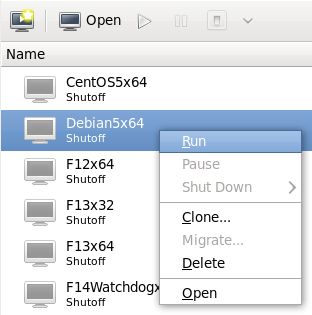
To start a virtual machine running, select it from the list and either
press the play
button or right click and select Run
:
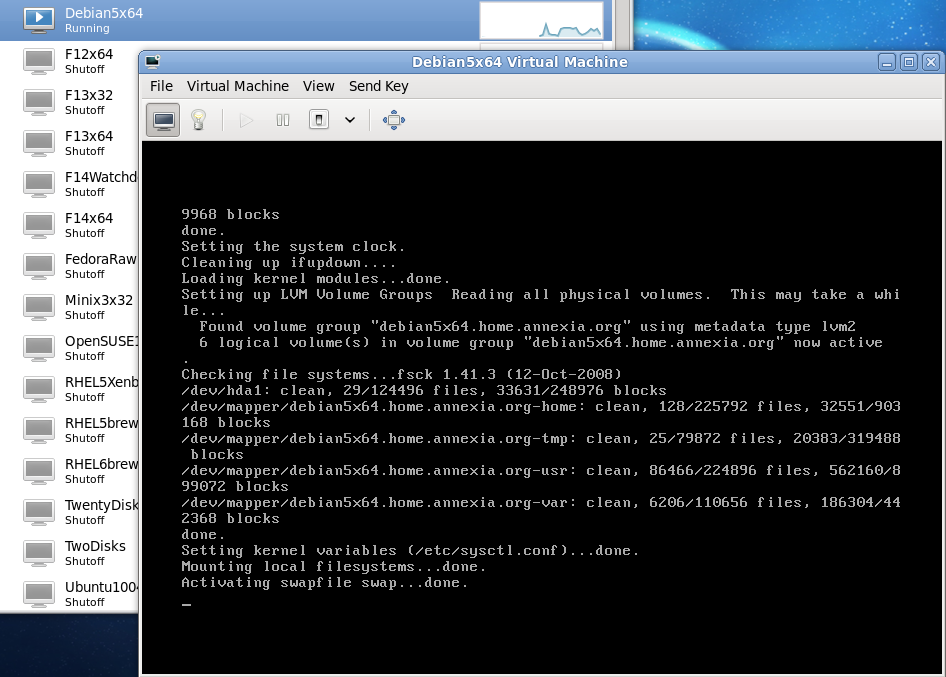
When the virtual machine is running, two things will change. You will get a small graph showing the CPU usage in the main virt-manager window. And if you double click on the virtual machine, virt-manager will open another window showing you the console:
Stopping the virtual machine is a little more complex and requires some understanding of how real PC hardware works.
On a real PC you can just pull out the power cord (and battery if it's a laptop). This abruptly shuts the machine down, but it's not usually a good thing to do since the operating system gets no time to gracefully shut down applications and synchronize the disk.
Nevertheless virt-manager lets you do this: From the switch
menu select Force Off
:

The other two options on this menu are Reboot
and
Shut Down
. However you cannot reboot or shut down
a machine (real or virtual) without cooperation from the
operating system. On a real PC the power switch just sends
a signal to the operating system, and the operating system
has to be listening out for the signal and has to react
by doing the right thing. This signal mechanism
is known as
ACPI.
The same mechanism is used to wire
the virtual power
switch to the virtual machine.
This is why pressing the virtual power button may open a dialog inside the VM like this one (taken from an Ubuntu guest):

The precise action taken depends on:
If a guest won't shut down or reboot, it is usually caused
by a problem with ACPI and/or guest configuration. Eventually
you may need to use the Force Off
option on recalcitrant
guests.